How to mount UBIFS/MTD partitions?
 Matthew Barrera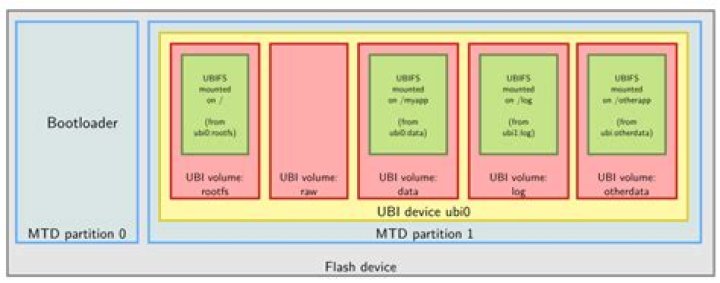
I have a lovely mount: unknown filesystem type 'ubifs' error with Ubuntu 14.04. What package provides this functionality?
It should be included in some previous versions of Ubuntu. The mtd-* packages are not helping.
12 Answers
The command that you need to execute in order to get UBIFS support is
modprobe ubifsThis will load three kernel modules:
- mtd
- ubi
- ubifs
These modules should allow you to issue a mount command with -t ubifs after first doing a ubiattach -p /dev/XXX command for some device XXX that the kernel knows about.
The order of dependency of the modules is mtd, then ubi, then ubifs, so that to remove the modules you need to do:
rmmod ubifs ubi mtdUBIFS is not simple to learn. This answer is just a start. Here is a more complete example.
I had the same problem. Using dmesg, I found following messages:
UBI error: ubi_open_volume: cannot open device 0, volume 0, error -19
UBIFS error (pid 2921): ubifs_mount: cannot open "ubi0", error -19
It indicates no volume was created. Running the following command fixed it:
sudo ubimkvol /dev/ubi0 -N myos -s 200MiB
sudo mount -t ubifs ubi0:myos /mnt/ubi



